
Don’t worry—it’s easier than it sounds
Why We Need Access
Because your ads will run from your own Facebook Page, we’ll need limited access to that Page. This lets us:
- Create and manage your ad campaign
- Track results
- Run everything under your business name
💡 You stay in full control.
We can’t post, edit, or do anything outside of your ad campaign. You can remove our access anytime.
⚠️ Important:
- When you use our DigitalSero link, Facebook may show a message saying you’re sharing your name, email address, and profile picture.
- This is completely normal and required by Facebook — it’s just confirming that you’re letting a business (us) advertise for you.
- We never store or share your personal info outside of Facebook.
💻 Please use a laptop or desktop for this step.
The process may not work properly on a phone — especially if you’re using the Facebook app.
The Easy Way: Use Our DigitalSero Link
We use a trusted tool called DigitalSero to make access quick and safe.
Once you book your campaign, we’ll send you a secure link. All you have to do is:
- Click it
- Log in with your Facebook account
- Choose your Page and approve the connection
That’s it. You don’t need to change any settings manually—we’ll handle the rest.
💡 Most clients complete this in under a minute. No menus, no jargon, no stress.
Step-by-Step: What You’ll See
Here’s exactly what the process looks like when you click the link:
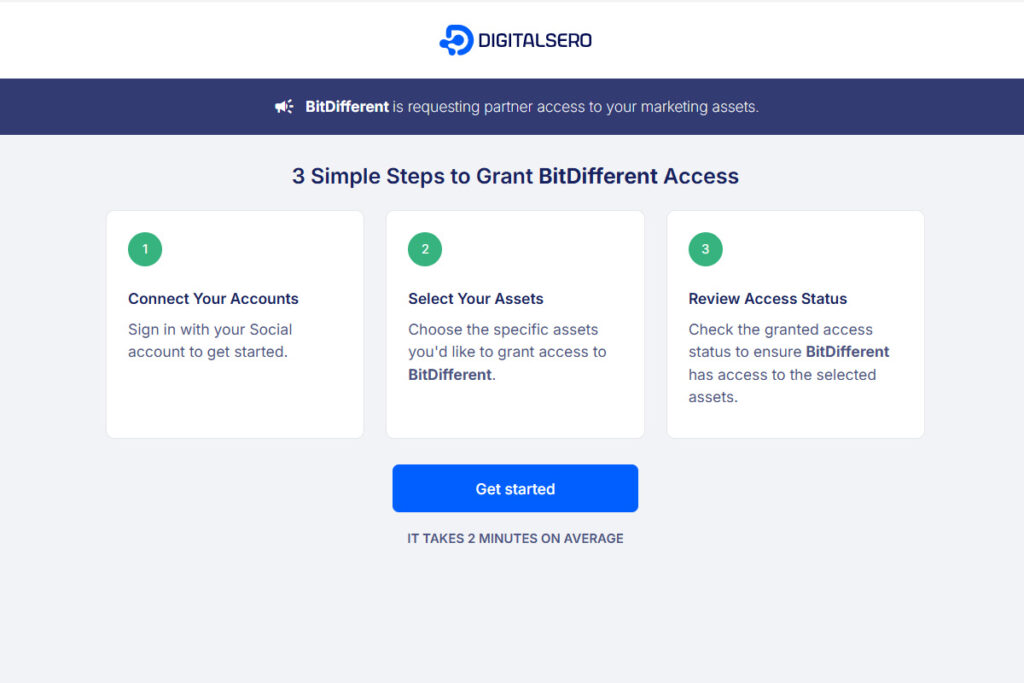
You’ll see this screen first. Just click “Get Started” to begin.
This is a secure connection request from BitDifferent.
Step 1
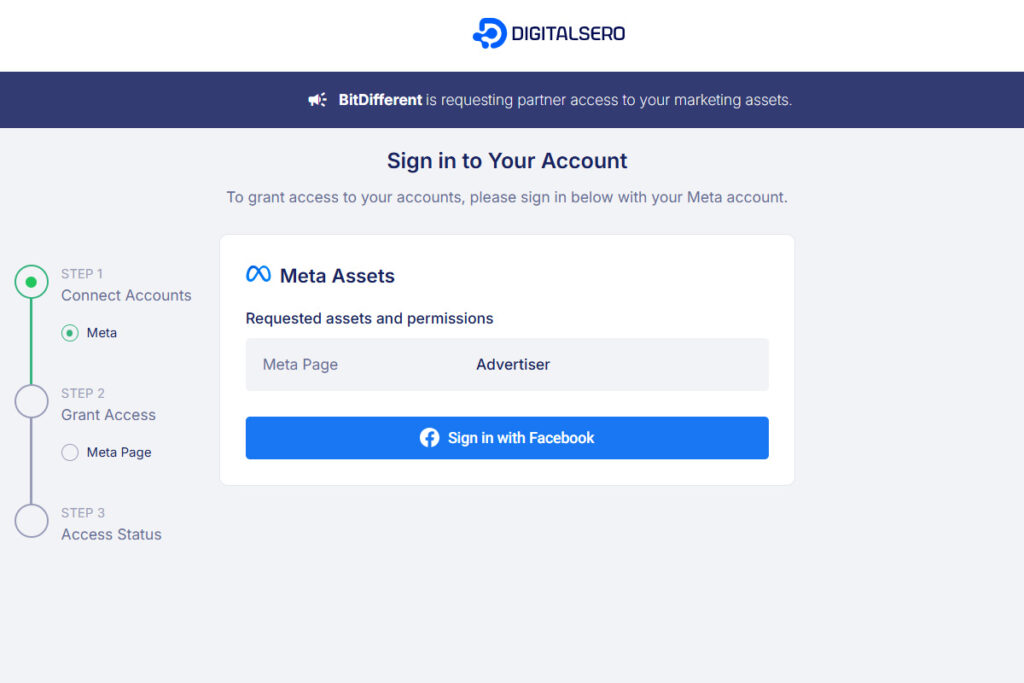
We only request access to your Page as an Advertiser — nothing more.
Click “Sign in with Facebook” to continue.
Step 2
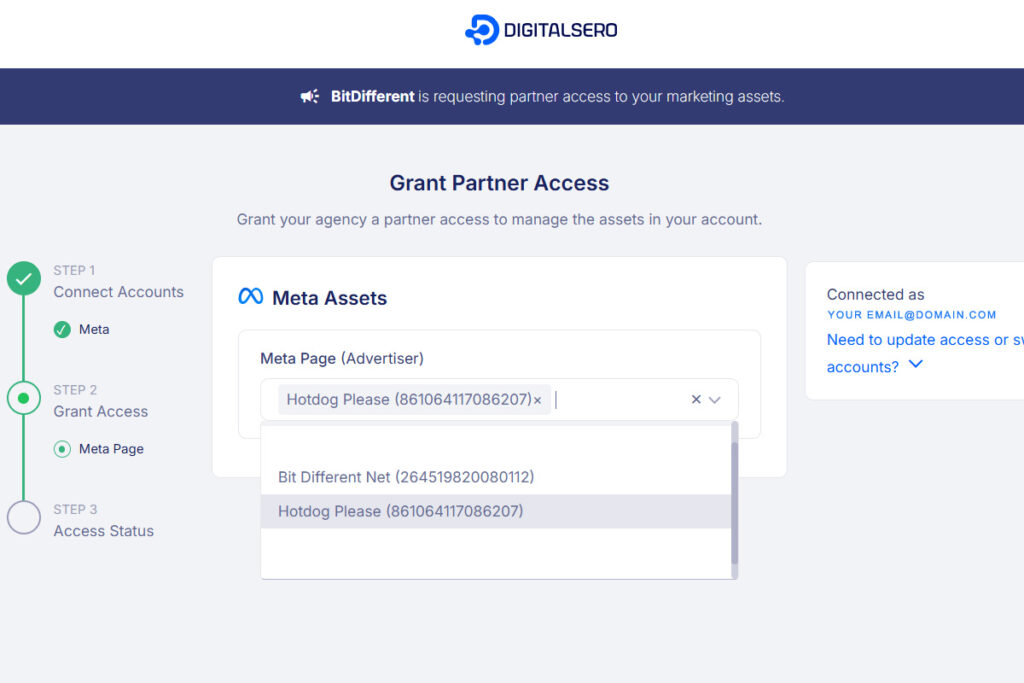
You’ll see a list of any Pages you manage.
Select the company Page you want to give us access to, then click “Next”.
Step 3
Just double-check your Page is selected and click “Give Access”.
That’s it — you’re done!
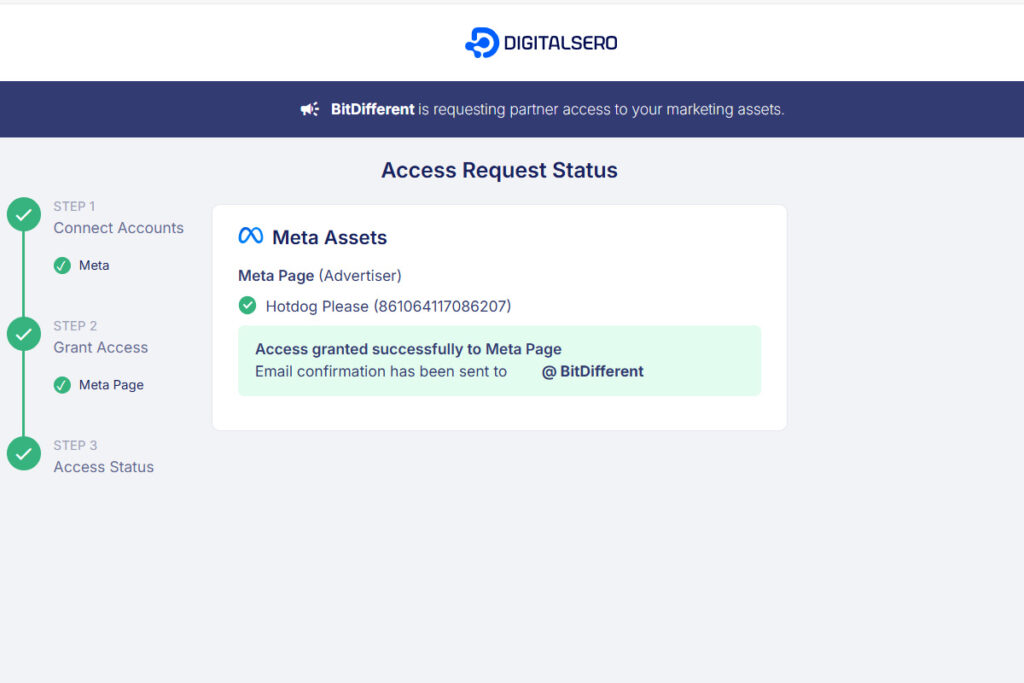
💡 Note: You stay in full control of your Page. We only get temporary Advertiser access to run your campaign — not admin, not editor. Nothing else changes.
Prefer the Manual Way?
If you’d rather do it the classic way through Meta Business Suite, here’s how:
Step 1: Open Meta Business Suite
Go to business.facebook.com and log in
Step 2: Add Us to Your Page
- Click Settings
- Go to People → Add
- Use the email address we provide
- Grant Partial Access (we don’t need admin rights)
Step 3: Add Us to Your Ad Account
- Still in Settings, go to Ad Accounts
- Select your ad account
- Click Add People
- Use the same email
- Grant Advertiser Access
Once that’s done, we’ll take care of everything else. If anything doesn’t work, just let us know—we’ll walk you through it.
You’re Always in Charge
We only request access to what we need. You can remove us anytime, and you’ll always see what’s running. We’ll never make changes without telling you, and we’ll never post anything unrelated to your ad.
The easiest and safest method is always the DigitalSero link.
It’s quick, secure, and avoids the technical setup completely.
If anything feels unclear, just message us—we’ll walk you through it.