
Bez obav—je to jednodušší, než to zní.
Why We Need Access
Because your ads will run from your own Facebook Page, we’ll need limited access to that Page. This lets us:
- Create and manage your ad campaign
- Track results
- Run everything under your business name
💡 You stay in full control.
We can’t post, edit, or do anything outside of your ad campaign. You can remove our access anytime.
⚠️ Important:
- When you use our DigitalSero link, Facebook may show a message saying you’re sharing your name, email address, and profile picture.
- This is completely normal and required by Facebook — it’s just confirming that you’re letting a business (us) advertise for you.
- We never store or share your personal info outside of Facebook.
💻 Please use a laptop or desktop for this step.
The process may not work properly on a phone — especially if you’re using the Facebook app.
Nejjednodušší způsob: přes odkaz od DigitalSero
We use a trusted tool called DigitalSero to make access quick and safe.
Po objednání kampaně vám pošleme bezpečný odkaz. Stačí:
- Kliknout na odkaz
- Přihlásit se ke svému Facebook účtu
- Choose your Page and approve the connection
A je hotovo. Nemusíte nic nastavovat ručně—o vše se postaráme my.
💡 Většina klientů to zvládne za chvilku. Žádná složitá menu, žádný stres.
Step-by-Step: What You’ll See
Here’s exactly what the process looks like when you click the link:
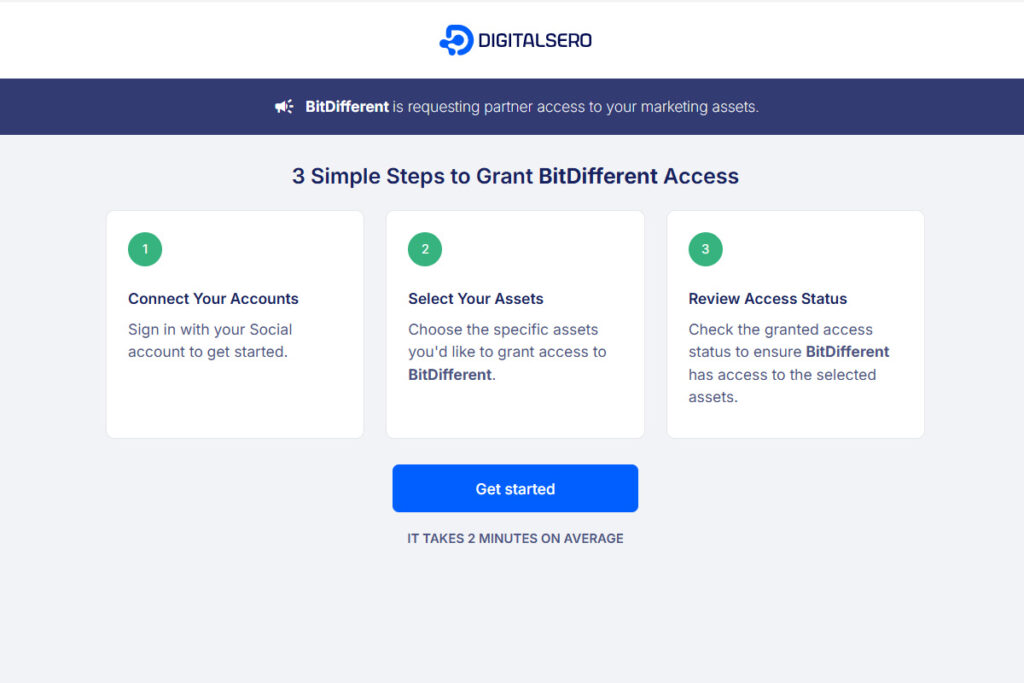
You’ll see this screen first. Just click “Get Started” to begin.
This is a secure connection request from BitDifferent.
Step 1
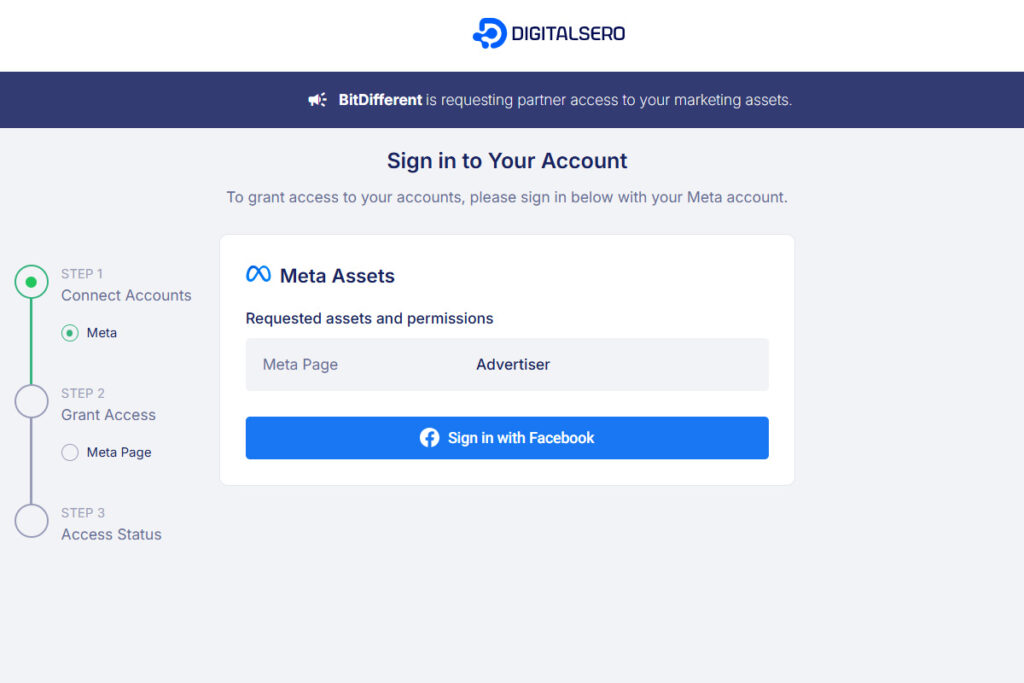
We only request access to your Page as an Advertiser — nothing more.
Click “Sign in with Facebook” to continue.
Step 2
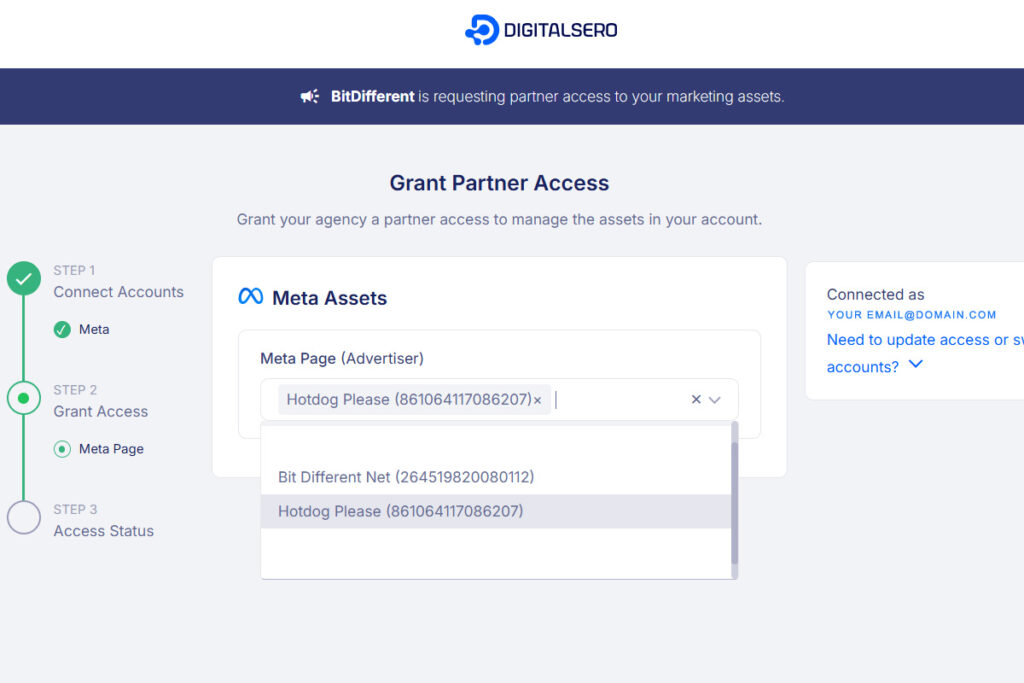
You’ll see a list of any Pages you manage.
Select the company Page you want to give us access to, then click “Next”.
Step 3
Just double-check your Page is selected and click “Give Access”.
That’s it — you’re done!
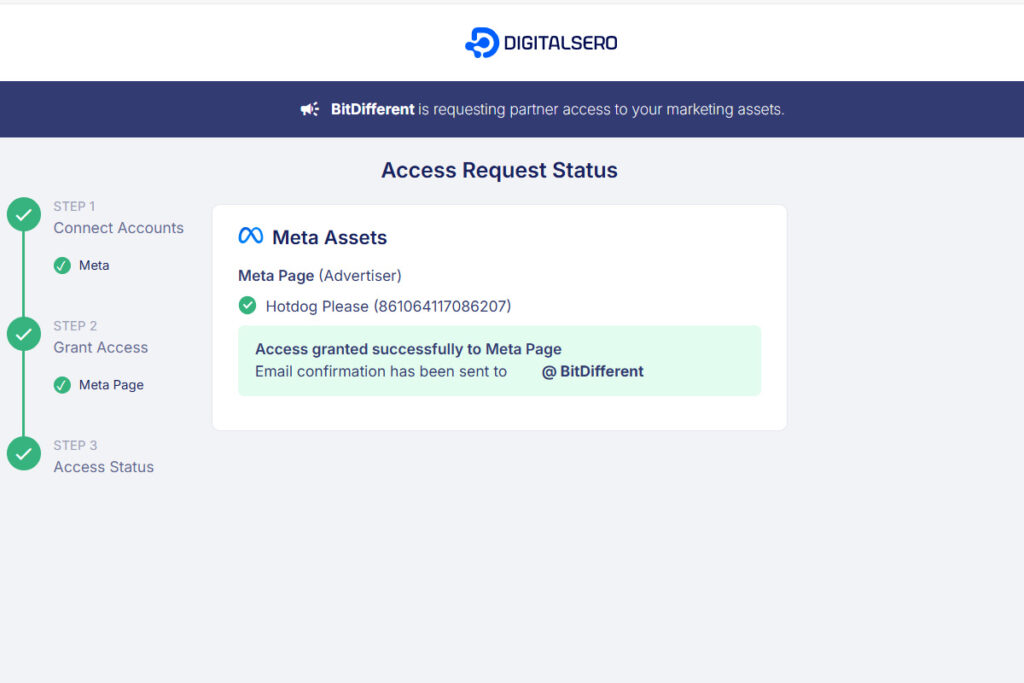
💡 Note: You stay in full control of your Page. We only get temporary Advertiser access to run your campaign — not admin, not editor. Nothing else changes.
Chcete to raději zkusit manuálně?
Pokud chcete vše nastavit klasickým způsobem přes Meta Business Suite, tady je postup:
Krok 1: Otevřete Meta Business Suite
Přejděte na https://business.facebook.com a přihlaste se.
Krok 2: Přidejte nás ke své stránce
- Klikněte na Nastavení
- Otevřete sekci Lidé → Přidat
- Zadejte e-mailovou adresu, kterou vám pošleme
- Udělte částečný přístup (nepotřebujeme práva správce)
Krok 3: Přidejte nás k reklamnímu účtu
- Pořád v Nastavení otevřete sekci Reklamní účty
- Vyberte svůj reklamní účet
- Klikněte na Přidat osoby
- Zadejte stejný e-mail
- Udělte Přístup inzerenta
Jakmile to bude hotové, postaráme se o zbytek. Pokud se něco nedaří, dejte nám vědět—všechno projdeme společně krok za krokem.
Vše máte pod kontrolou
Žádáme pouze přístup k tomu, co skutečně potřebujeme. Můžete nás kdykoli odebrat a vždy uvidíte, co se na vašem účtě děje. Nic nezměníme bez vašeho vědomí a nikdy nebudeme zveřejňovat nic, co nesouvisí s reklamou.
The easiest and safest method is always the DigitalSero link.
It’s quick, secure, and avoids the technical setup completely.
If anything feels unclear, just message us—we’ll walk you through it.